
 C:\Content\Practical Guides\How to Turn One Video Shoot Into a Month of Social Content
How to Turn One Video Shoot Into a Month of Social Content
September 29, 2026
A productive video shoot should not end with one finished video and a folder full of forgotten footage. When the day is planned correctly, one production can become the source material for weeks of useful social content without forcing a business to invent something new every morning.
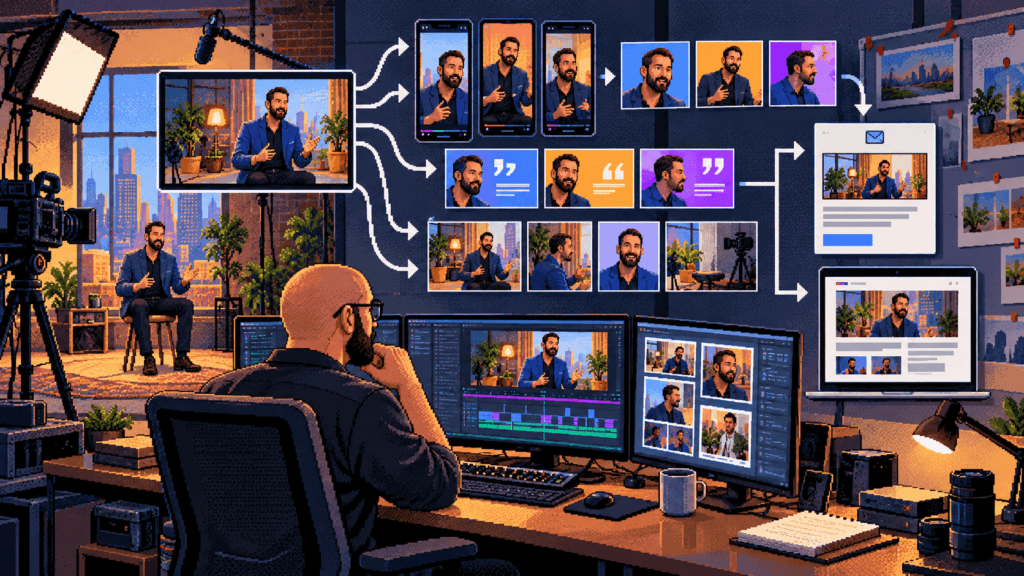
The key is to stop treating the shoot as a single deliverable. It is a content capture system. The long-form video may be the centerpiece, but interviews, demonstrations, reactions, still frames, behind-the-scenes moments, quotes, and short explanations can all serve different parts of the customer journey.
Begin with a campaign spine
Every efficient shoot needs one central idea. I call it the campaign spine: the problem, message, or story that connects every asset. It may be a customer question, a product launch, an expert interview, a case study, or a behind-the-scenes look at how the business works.
Without that spine, repurposing becomes random clipping. With it, each short video can stand alone while still reinforcing the same larger message. Before production, write one sentence explaining what the audience should understand, feel, or do after encountering the campaign.
Plan the deliverables before the camera turns on
The most important repurposing decisions happen during pre-production. List the platforms, formats, and calls to action before choosing shots. A horizontal interview for YouTube and a vertical Reel may come from the same conversation, but framing, eye line, captions, pacing, and safe space for on-screen text all need to be considered during the shoot.
Create a channel inventory that includes your website, YouTube, LinkedIn, Instagram, Facebook, email, sales presentations, and Google Business Profile where appropriate. Then decide which assets each channel actually needs. The goal is not to post everywhere. It is to capture enough useful material to support the channels that matter.
Questions to answer in pre-production
- Who is the specific audience?
- What problem does the campaign solve?
- What is the primary long-form asset?
- Which short-form formats are required?
- What should viewers do next?
- Which examples, demonstrations, and proof points must be captured?
- What vertical, horizontal, and square compositions are needed?
- Who must approve the footage before publication?
Record modular answers
A long interview is easier to repurpose when answers are complete and understandable outside the original conversation. Ask subjects to restate the question in their answer, define unfamiliar terms, and give concrete examples. Capture a short version and a fuller version of the most important points.
Instead of asking only, “Tell me about your company,” build segments around actual customer questions. What does the process cost? What should a client prepare? What is a common mistake? What happens after someone signs? What makes the service different? Each answer can become a focused clip, an FAQ section, a caption, or the basis of an article.

Capture the visual glue
Short-form edits fall apart when every clip is only a talking head. B-roll gives the editor visual options: hands working, products being used, the location, close details, screen recordings, staff interactions, preparation, and finished results. Capture establishing shots, medium actions, and tight details for every important step.
Also record quiet room tone, clean versions of demonstrations, alternate angles, and several seconds before and after each action. Those small production habits make later editing faster and more natural.
An illustrative deliverable matrix
The exact output depends on the subject and amount of usable footage. The following is a planning example, not a guaranteed production formula.
| Source captured | Possible deliverables | Primary use |
|---|---|---|
| 20–40 minute interview | One anchor video, article transcript, email summary | Education and search |
| Four strong answers | Four to eight short clips | Social reach and FAQs |
| Process demonstrations | Three to six vertical edits | Trust and proof |
| Portraits and frame grabs | Thumbnails, quote cards, profile images | Packaging |
| Behind-the-scenes footage | Stories, Reels, recruiting content | Personality |
| Key statements | Captions, posts, carousel copy | Conversation and recall |
Edit by idea, not merely by timestamp
The best short clip contains a complete thought: a hook, a useful point, and a satisfying end. A random sixty seconds from a longer video is rarely enough. Remove setup that only makes sense in the full conversation, tighten pauses, and lead with the most relevant line when the meaning remains accurate.
Captions should be reviewed rather than blindly accepted from automation. Names, local references, technical terms, and brand language are often misheard. Accurate captions improve accessibility and also help viewers who watch without sound.
Adapt without rebuilding everything
Repurposing does not mean uploading the identical file everywhere. The core idea can remain consistent while the packaging changes. A LinkedIn post may need professional context. An Instagram Reel may need a faster opening. A website embed can support a service page. An email can frame the same lesson around a customer decision.
Build a master edit first, then create platform versions from approved material. This protects message consistency and reduces the risk of every channel telling a slightly different story.
A sample four-week schedule
| Week | Primary asset | Supporting assets |
|---|---|---|
| Week 1 | Publish the anchor video | Launch post, email, one teaser clip |
| Week 2 | Answer a customer question | Two short clips and a quote graphic |
| Week 3 | Show the process | Demonstration clip and behind-the-scenes post |
| Week 4 | Reinforce the decision | Case example, FAQ clip, final call to action |
This schedule is deliberately simple. Consistency matters more than flooding a feed. Leave room to respond to comments, current events, and new customer questions rather than scheduling every day months in advance.
Organize the footage for future use
A content library only creates value when people can find what they need. Use clear project folders, descriptive filenames, transcript documents, release records, and tags for subjects and themes. Keep approved exports separate from working files. Record music and image licenses so assets can be reused confidently.
This is also where a business should decide how long raw footage will be stored, who has access, and which material is confidential. Good organization turns old footage into an asset instead of a liability.
Measure useful outcomes
Views are only one signal. Track watch time, retention, saves, shares, qualified comments, website visits, inquiries, and sales conversations based on the purpose of the campaign. A clip with modest reach may still be valuable if it answers a question that repeatedly slows the sales process.
Review the results before the next production day. Strong hooks can become new interview questions. Frequently saved topics deserve deeper coverage. Drop-off points can reveal where explanations are unclear. The next shoot should be informed by the last one.
Common mistakes that waste a shoot
- Arriving without a distribution plan.
- Recording only one orientation.
- Skipping B-roll and clean detail shots.
- Writing questions that produce vague answers.
- Waiting until editing to decide the call to action.
- Ignoring permissions, releases, music rights, or confidential information.
- Publishing identical packaging on every platform.
- Failing to label, back up, and catalog the footage.
Build the system around the business
A month of content should not feel like thirty disconnected obligations. It should feel like one well-developed idea expressed in several useful ways. That requires production planning, editorial judgment, and a realistic publishing rhythm.
If you want to turn one Jacksonville production day into a durable content library, I can help plan the message, capture the footage, edit the core video, and build the repurposing workflow. Explore my video production services, social media work, and SEO approach, then get in touch to plan a shoot designed for more than one upload.
A productive video shoot should not end with one finished video and a folder full of forgotten footage. When the day is planned correctly, one production can become the source material for weeks of useful social content without forcing a business to invent something new every morning. The key is to stop treating the shoot as a single deliverable. It is a content capture system. The long-form video may be the centerpiece, but interviews, demonstrations, reactions, still frames, behind-the-scenes moments, quotes, and short explanations can all serve different parts of the customer journey. Begin with a campaign spine Every efficient shoot needs one central idea. I call it the campaign spine: t...
Start a new thread